
Notes that go where you need them
Rich-text notes attached to companies, people, or deals - using the same editor as meeting summaries. One place for context, follow-ups, and internal observations. Surfaced inline on every detail page and on the activity timeline.
Inline on every detail page
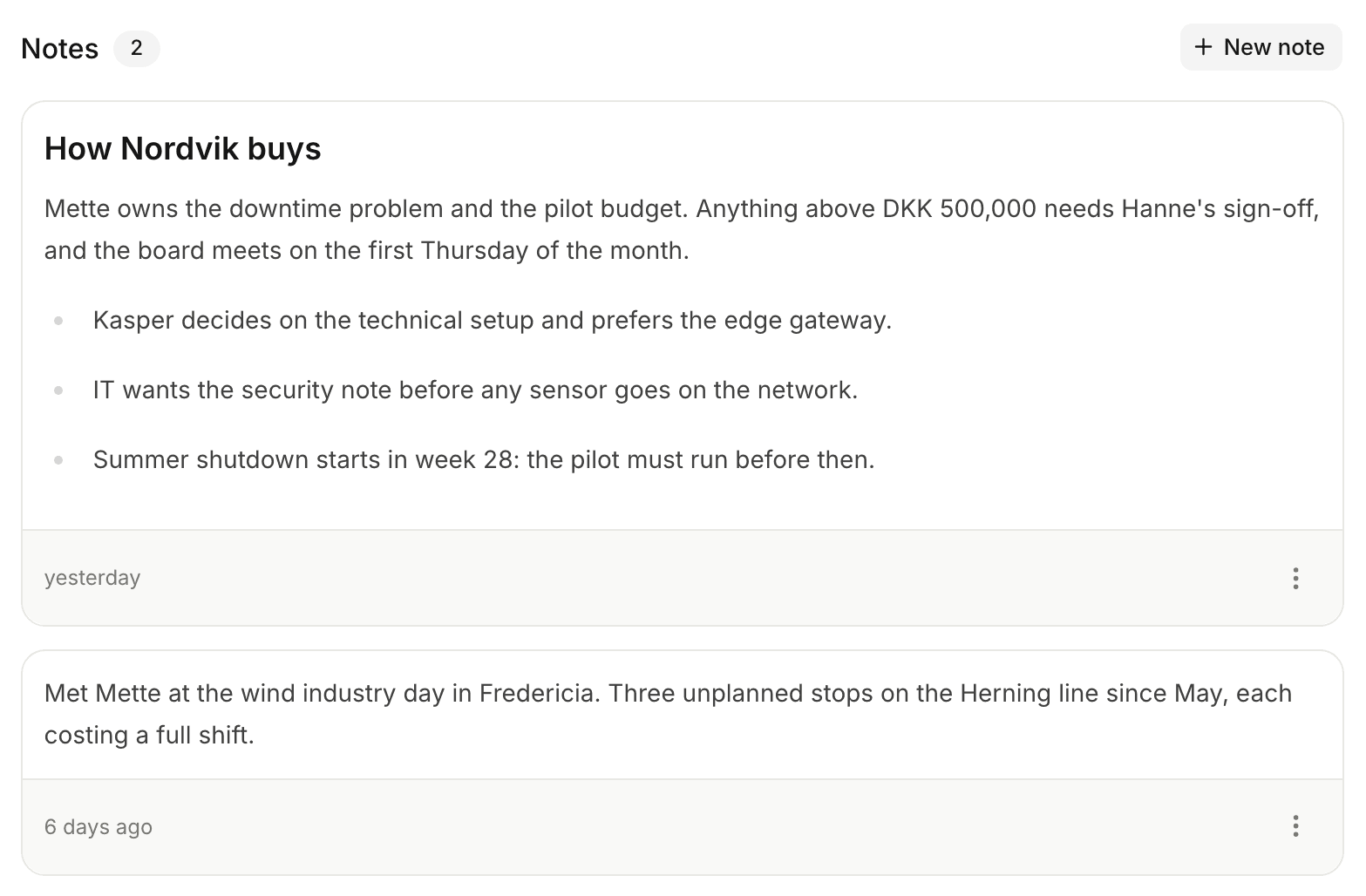
Tiptap editor
Same rich-text editor used for meeting summaries. Headings, lists, bold, italic, links, code. Persistent toolbar.
Polymorphic attachment
Pick a company, a person, or a deal. The note shows on that entity’s detail page and on the activity timeline.
Inline + Ny note
"+ Ny note" button on every detail page. Creates a new note with the relation already set.
Author attribution
Every note shows author and timestamp. Edits update the timestamp; original author stays.
Activity timeline entry
Adding a note fires a NOTE_ADDED activity, which appears on the company, the person, and the deal it links to.
Feature-gatable
Per-user feature access can hide the Notes surface entirely for teammates who do not need it.
And when not to
Company-wide context
"They are switching from competitor X - confirmed in last quarter board meeting." Lives on the company.
Per-person observations
"Anna is the actual champion - Peter has the title but does not drive decisions." Lives on the person.
Per-deal updates
Internal commentary that doesn’t belong in a meeting summary - pricing thoughts, internal positioning, gut feel. Lives on the deal.
Not for meeting recaps
Those go in the AI summary. See summaries
Frequently asked
A summary is the AI-written output of a recorded meeting. A note is a free-form rich-text block someone types directly - for context, follow-ups, internal observations. Both use the same Tiptap editor; both surface on the activity timeline.
Polymorphic: a company, a person, or a deal. The note appears in that entity’s Notes section and as a NOTE_ADDED activity on the timeline.
Notes are author-attributed and editable by any teammate with workspace access. Live collaborative editing is on the roadmap; for now, the last save wins.
Per-user feature access can hide the Notes surface entirely for specific teammates. Per-note visibility is on the roadmap.
Yes. Workspace-wide search hits note content; you can also filter notes by author, tag, and category on entity detail pages.
One editor, one place, every record
Stop keeping notes in your head, in Slack DMs, and on sticky notes.