
Walk into every meeting fully briefed
Context first: everything your company knows about this customer, in your hands before you walk in.
Floral builds a one-page brief before every meeting on your calendar - official registry data and five years of accounts, recent news, talking points, and what your team already knows. No more 30-minute LinkedIn deep-dives at 7:55am.
From calendar event to briefing in 60 seconds
Auto-generated from the calendar event
Floral watches your connected calendar. When a meeting lands with an external company, the briefing appears in the meeting’s detail view ready to read. You can also create a briefing manually for meetings that aren’t on your calendar.
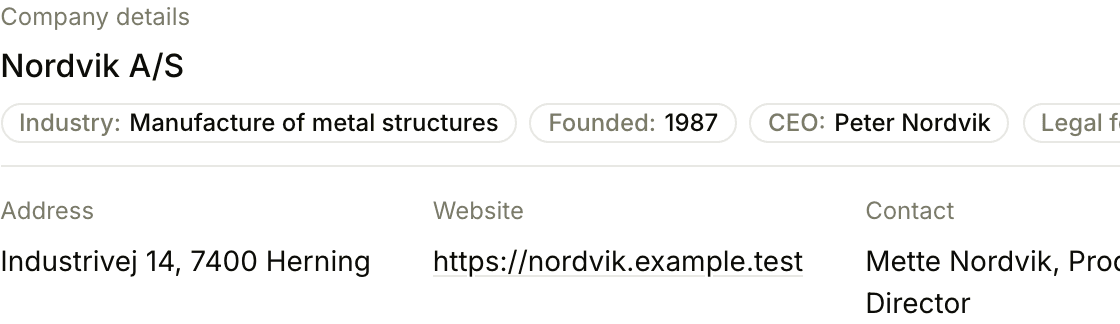
Structured output, not a wall of text
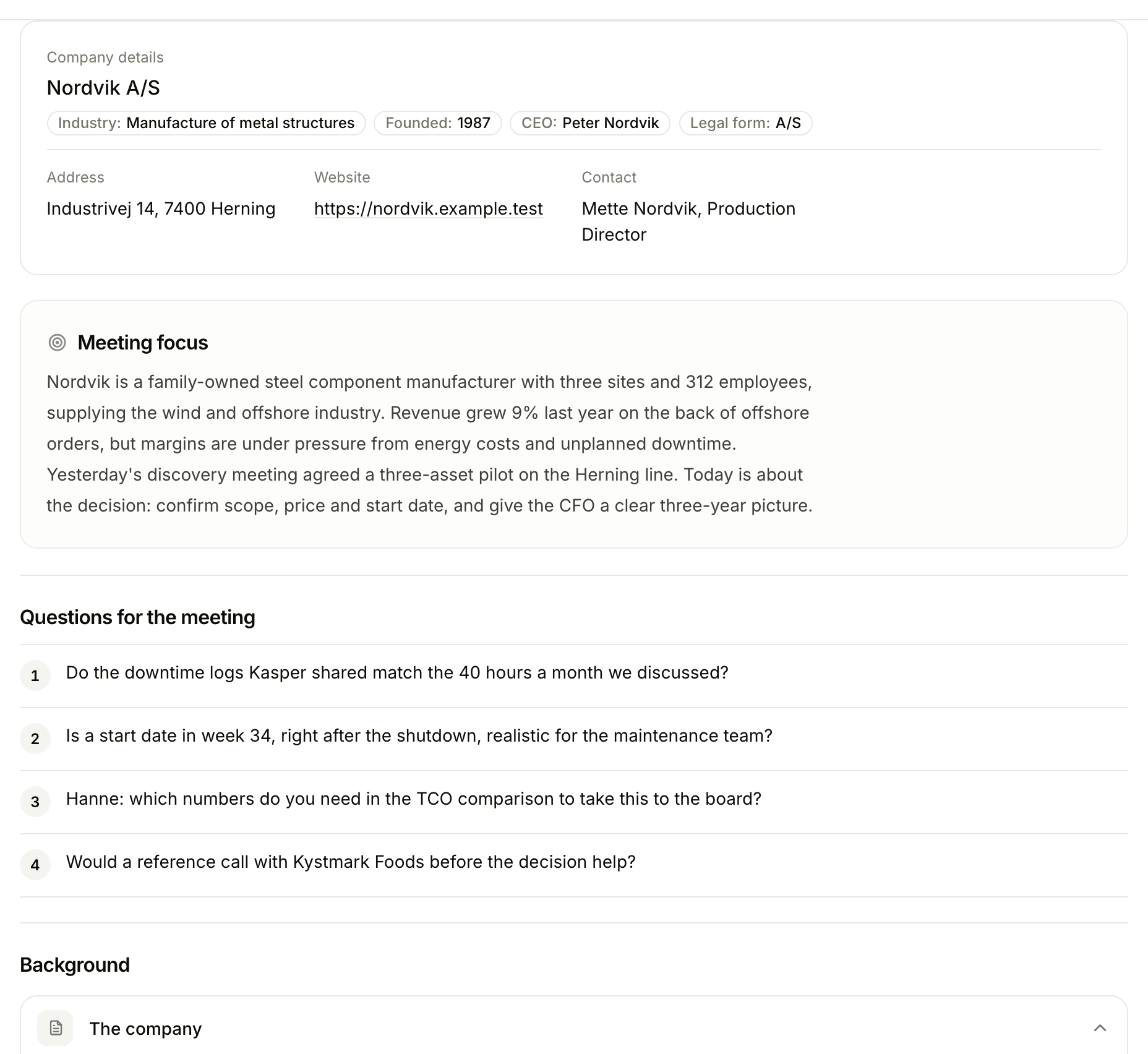
Every brief has the same backbone - company snapshot, recent signals, your team’s history, suggested talking points - and adapts to the kind of work: a SWOT for a first meeting, concerns raised for a known client, timely triggers when a deal is late in the pipeline. Skim it in 60 seconds, dig deeper where you need to.
Every signal that matters, none of the noise
Floral synthesises five data layers into a single brief - so the rep doesn’t have to open six tabs.
Registry data and accounts
Registration data, industry, employees, leadership and five years of accounts with eight key figures, taken straight from the official Danish company registry. Facts, not generated text.
Recent news
Press mentions, press releases, blog posts, and trade publication coverage. Floral surfaces what’s changed for the company recently - not what they put on their About page.
Calendar context
Who else is attending, what other meetings your team has had with the company, and when. Useful for handoff scenarios and account team coordination.
Your team’s history
Past meeting summaries, briefings, notes, and (with CRM) deals involving the same company. Tribal knowledge becomes briefing input - automatically.
Suggested talking points
Discussion prompts tailored to the kind of meeting - sales, advisory or consulting - the company stage, and the workspace’s AI context. A starting point, not a script.
Status visible at a glance
Pending / In progress / Complete / Failed - Floral tells you when a brief is ready, retries on failures, and lets you refresh on demand.
Pairs well with
AI meeting summaries
After the meeting, Floral writes the structured summary. Same data layer, full lifecycle.
Calendar integration
Connect Google Calendar or Outlook to auto-generate briefings for every meeting.
Workspace AI context
Tune the briefing output to how your team sells and what you qualify on.
Frequently asked
The official Danish company registry (CVR) with five years of accounts and eight key figures, recent news, the company website, your calendar metadata, the meeting summaries and notes already in your Floral workspace, and - if you have Work, Floral’s CRM - the company and deal history. Company facts are taken straight from the registry, not generated; the AI only writes the analysis and talking points on top.
No. The backbone is the same, but the brief adapts to the kind of work: a SWOT for a first meeting, "concerns raised" for a client you already know, "timely triggers" when a deal is late in the pipeline. It comes in sales, advisory and consulting variants.
Briefings are generated on-demand when a calendar event lands, or you can hit "Refresh" manually any time. Generation takes 30–90 seconds depending on how much data Floral pulls in.
Yes. Per-workspace AI context lets you tell Floral what your team cares about - industry-specific signals, qualifying questions, deal disqualifiers. Personal AI context layers your individual preferences on top.
Yes - you can create a briefing manually by typing in the company name or CVR. Floral pulls the same data and produces the brief without a calendar event.
Briefings live inside the workspace, so anyone with access to the workspace can open them. Export to PDF if you need to share outside the team.
Insights
Read more
9 min read
What the Danish company registry tells you before a meeting, and how to read it in five minutes
Every Danish company files its ownership, management, industry and accounts in the public CVR register. Most sellers and advisors never open it. Here is what is in there, the seven questions it answers before you walk in, and where it stops.
9 min read
The B2B sales meeting preparation checklist (with a 15-minute version)
A practical sales meeting preparation checklist for B2B reps: a 45-minute version for enterprise discovery and a 15-minute version for mid-cycle calls.
8 min read
AI meeting intelligence for consultants: from hours of research to minutes of preparation
Management consultants spend a large share of their week on research and meeting preparation. AI meeting intelligence tools are changing the equation, letting consultants spend more time advising and less time preparing. Here is how the shift is happening.
Stop preparing the night before
Try Floral. Connect a calendar, attend a meeting tomorrow morning fully briefed.