
One feed for the whole customer relationship
Every meeting, briefing, summary, deal change, task, note, and lead capture - fanned out across every company and contact involved. Open a record, see the full history in one chronological view, without switching tabs or chasing rep memory.
Workspace-wide and per-entity
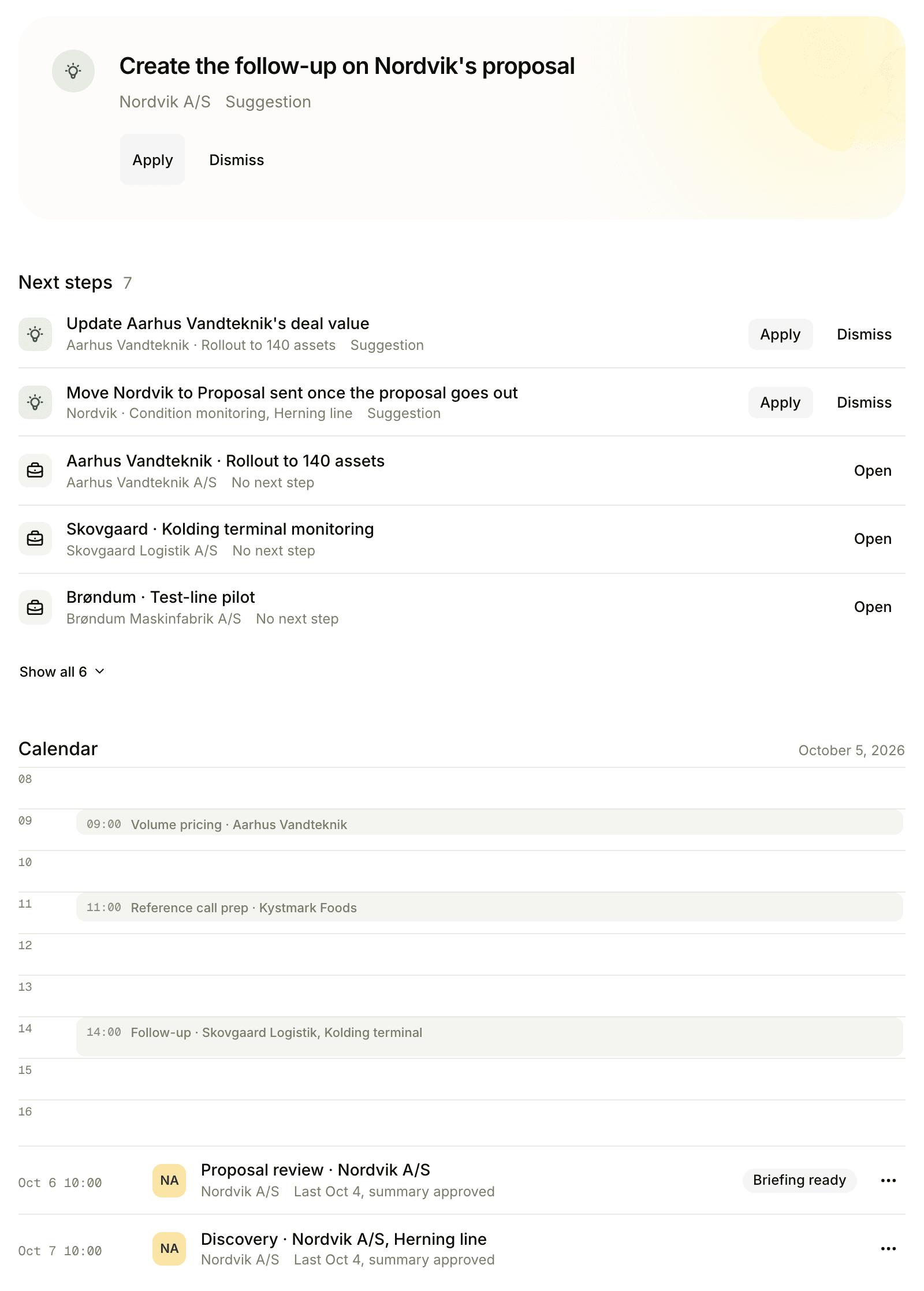
Workspace-wide on the dashboard
The dashboard activity stream surfaces what is happening across the workspace right now. Filter by type - Meetings & emails, Deals, Briefings, Tasks, Notes, Leads, System - to focus on the slice that matters to you today.
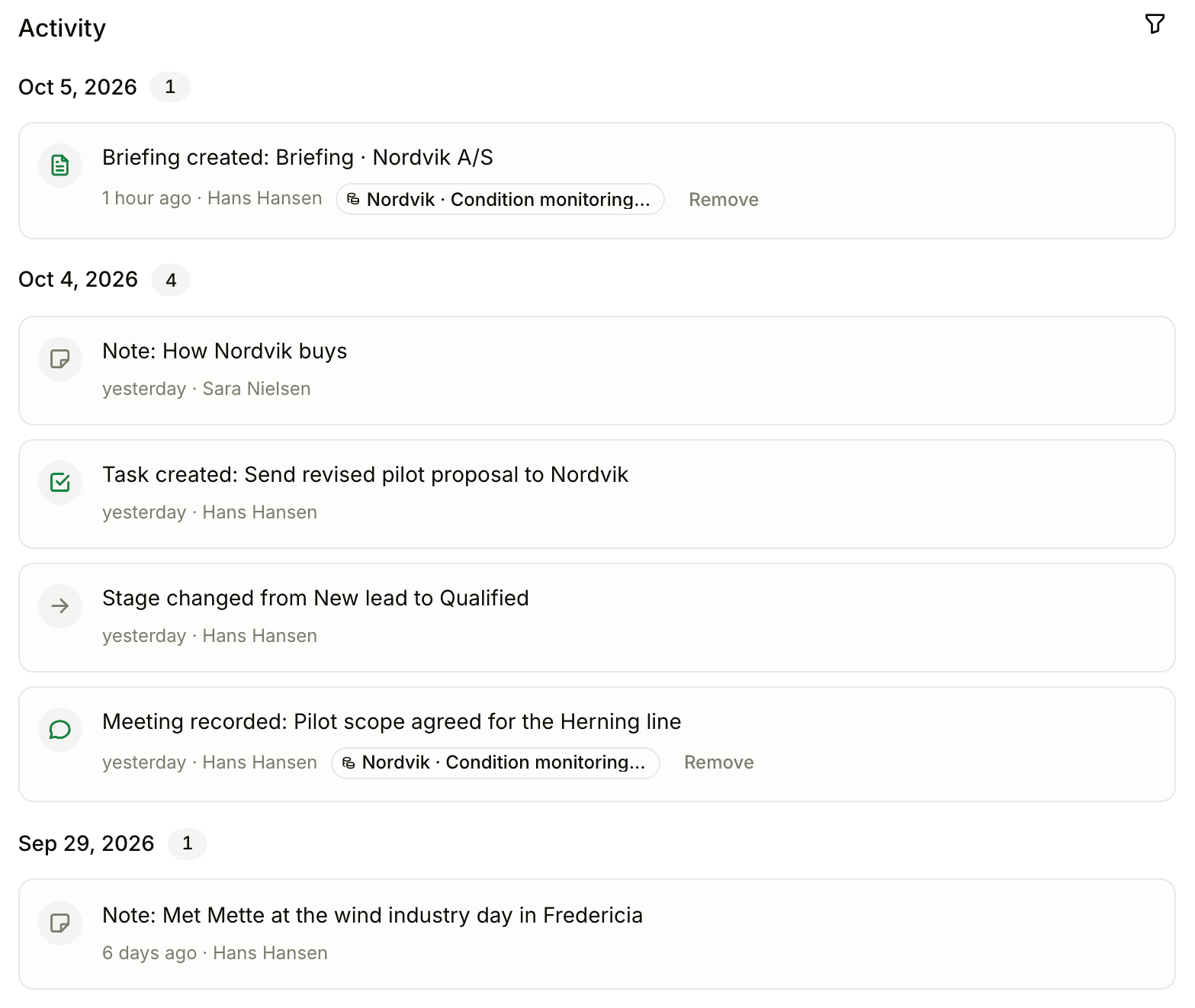
Per-entity on every detail page
Open a company, a person, or a deal - the timeline shows every activity that touched that record, including activities that arrived via multi-relation (e.g. a meeting attended by two people from the company appears on both their timelines and the company’s).
Eight today, more on the way
Meetings
Every meeting recorded - whether in the room, online via the bot, or manual upload - produces a MEETING_RECORDED activity.
Briefings & summaries
BRIEFING_CREATED on generation, SUMMARY_CREATED on capture, and an approval activity on the three-step approval transition.
Deals
DEAL_CREATED, DEAL_STAGE_CHANGED, DEAL_WON, DEAL_LOST. Every pipeline movement is timestamped and attributed.
Tasks
TASK_COMPLETED fires when a task is marked done. Useful for understanding "what just shipped" on an account.
Notes
NOTE_ADDED whenever someone adds a note. Surfaces inline on the company/person/deal the note attaches to.
Leads
LEAD_CAPTURED on every lead-form submission. Linked to the auto-created company, person, and task.
Email (coming)
Activity types for sent and received email are already built. Bringing email in is the next integration.
System
Workspace events - invites, subscription changes, integration setup - for audit and visibility.
Filters that respect how you work
Type chips
Toggle each activity category on or off. Combine for any view you need.
Multi-relation aware
One meeting with multiple attendees shows on each attendee timeline, not duplicated globally.
Attribution
Every activity has an author and a timestamp. Useful for handoffs and historical audits.
Frequently asked
Meetings, briefings, summaries (created and approved), deals (created and stage-changed), tasks (completed), notes (added), lead captures, and system events. Email send/receive is being added; the schema already supports it.
It is unified across surface types and respects the multi-relation model. A single meeting summary fans out to the company, every attendee, and the linked deal - one event, many surfaces. Generic logs duplicate or miss.
Yes. Chip filters at the top of every timeline: Meetings & emails, Deals, Briefings, Tasks, Notes, Leads, System. Combine for the slice you want.
They share the same engine and chip filters. The dashboard is the workspace-wide view; per-entity timelines on company/person/deal detail pages are scoped to the entity.
CSV export is on the roadmap. In the meantime, the activity timeline is screenshot-friendly and PDF-friendly via the browser’s print view.
Never ask “what is the latest with this account” again
Get a single timeline per company, per person, per deal - and one for the whole workspace.