
Tasks that match how work actually flows
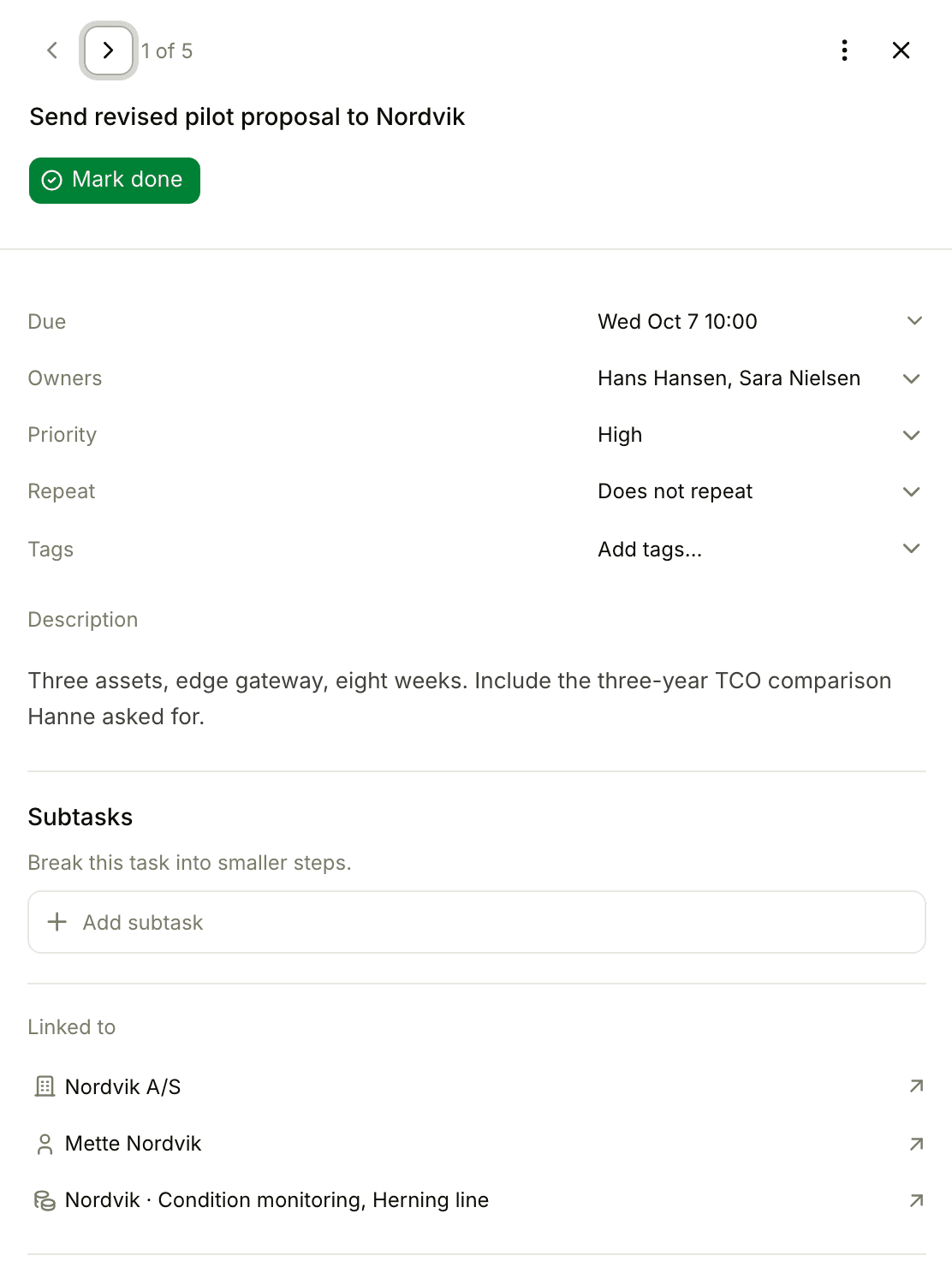
One task can have multiple owners and link to a company, a person, and a deal simultaneously. Drag-and-drop reorder, bulk actions, soft-delete with restore. Built for sellers who do not want to maintain two task lists.
Two things most CRMs get wrong
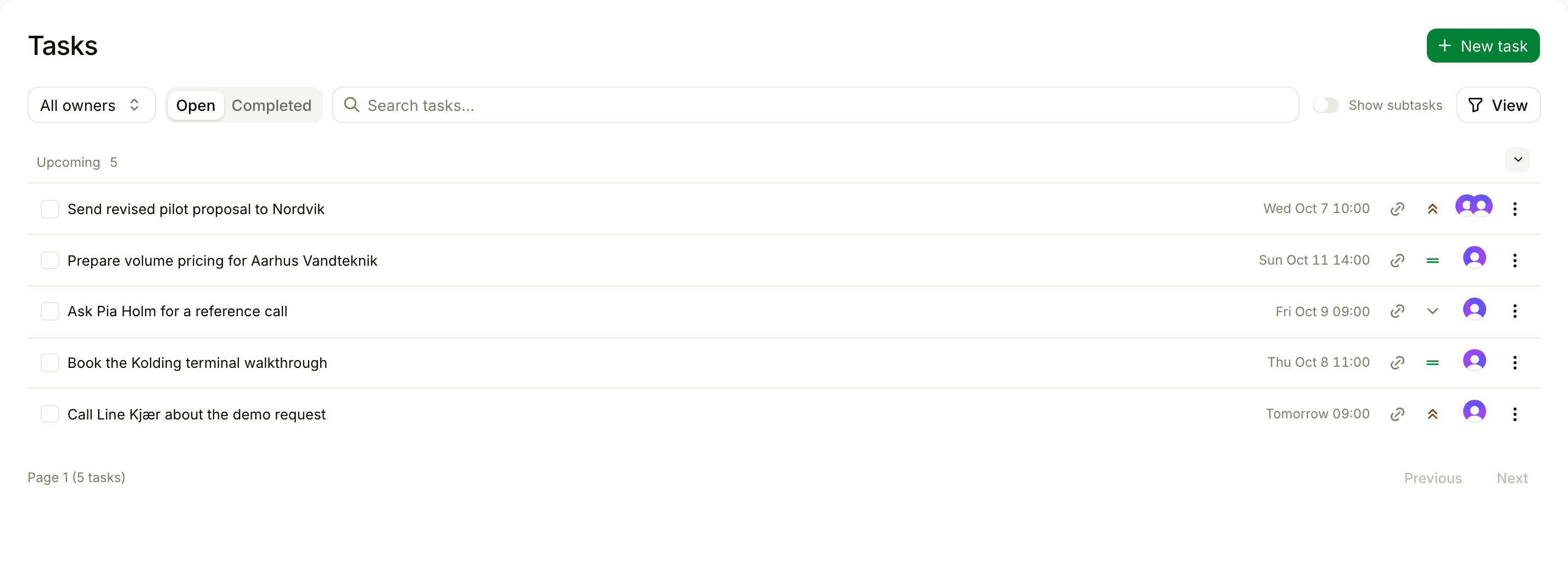
Multiple owners on one task
AEs and SDRs co-execute. Managers shadow new reps. A task tied to a single owner forces fake "assignee + cc" workarounds. Floral lets you put as many owners on a task as the work actually involves - filters and notifications respect every owner.
One task, many relations
"Send pricing follow-up to Acme - for both the renewal and the expansion deal - touching Anna and Peter." That is one task in Floral, linked to one company, two people, and two deals. The task appears on every entity’s detail page.
The basics, well-built
Date or date+time deadlines
Most tasks are "by Friday". Some are "Tuesday 14:00 before the demo". Floral handles both without forcing you into either.
Bulk actions
Multi-select toggle. Mark many tasks done in one click. Reassign owner. Apply tags. Archive - with confirmation for destructive ops.
Drag-and-drop reorder
Tasks have a manual order alongside due-date sort. Drag to prioritise. Persistent per user.
Target chip
Each task in a list shows a V / P / S chip - Virksomhed / Person / Sag - so you can tell at a glance what the task is hanging on.
Soft-delete + restore
Deletions are reversible. A task is archived for 30 days before becoming eligible for hard-deletion. No accidental data loss.
Filters that work
By owner, tag, category, deadline range, custom field, or relation. Save your view; come back to it later.
Pairs well with
Frequently asked
Yes. Tasks support multiple owners. Avatar stacks show all assignees, and the "my tasks" view picks up any task you are on. Useful for AE + SDR co-execution and SDR + manager check-ins.
A single task can link to a company, a person, and a deal - at the same time. Or to multiple of each. The task surfaces inline on every linked entity’s detail page. No more "where did I put that task?".
Yes. Set a date-only deadline (most tasks) or a date+time deadline (calls, demos, prep deadlines). Floral uses the finer precision when it matters and the coarser one when it does not.
Soft-delete. Deleted tasks move to an archived state and can be restored. After 30 days they are eligible for hard-deletion; admins can clear the archive in bulk.
Yes. Multi-select toggle on the task list opens a floating action bar - mark as done, reassign owner, change tag/category, archive. Replace/Add toggle for additive vs replacing changes.
Stop keeping tasks in two places
Put your follow-ups, prep tasks, and check-ins in one list that respects how work actually flows.