
Open platform: API and MCP
Your company's knowledge should work everywhere you do.
Floral gathers what your company knows and keeps it living. The API and the MCP server make that knowledge available to your own systems and to the AI tools your team already uses - with the same permissions, the same approvals and the same logging as inside Floral.
A public API, built the way you would expect
Everything at app.floral.so/api/v1. Read and write contacts and meetings from your own tools, with tokens you control.
Workspace-scoped tokens
Personal access tokens are tied to one workspace and one person. Revoke a token and its access is gone everywhere.
Four scopes
Contacts read, contacts write, meetings read, meetings write. Give an integration exactly what it needs and nothing else.
Pagination, ETags and rate limits
Cursor pagination for large lists, ETags so you only fetch what changed, and rate-limit headers on every response.
OpenAPI spec
The whole API is described in an OpenAPI spec. Generate a client in your language of choice or explore the endpoints before writing a line of code.
Permissions checked on every call
Each request re-checks workspace membership, role and feature access. The API never sees more than the person behind the token does.
Exports at any time
Take your data with you as CSV, PDF or XML whenever you like. An open platform starts with the door being open both ways.
58 tools for the AI client you already use
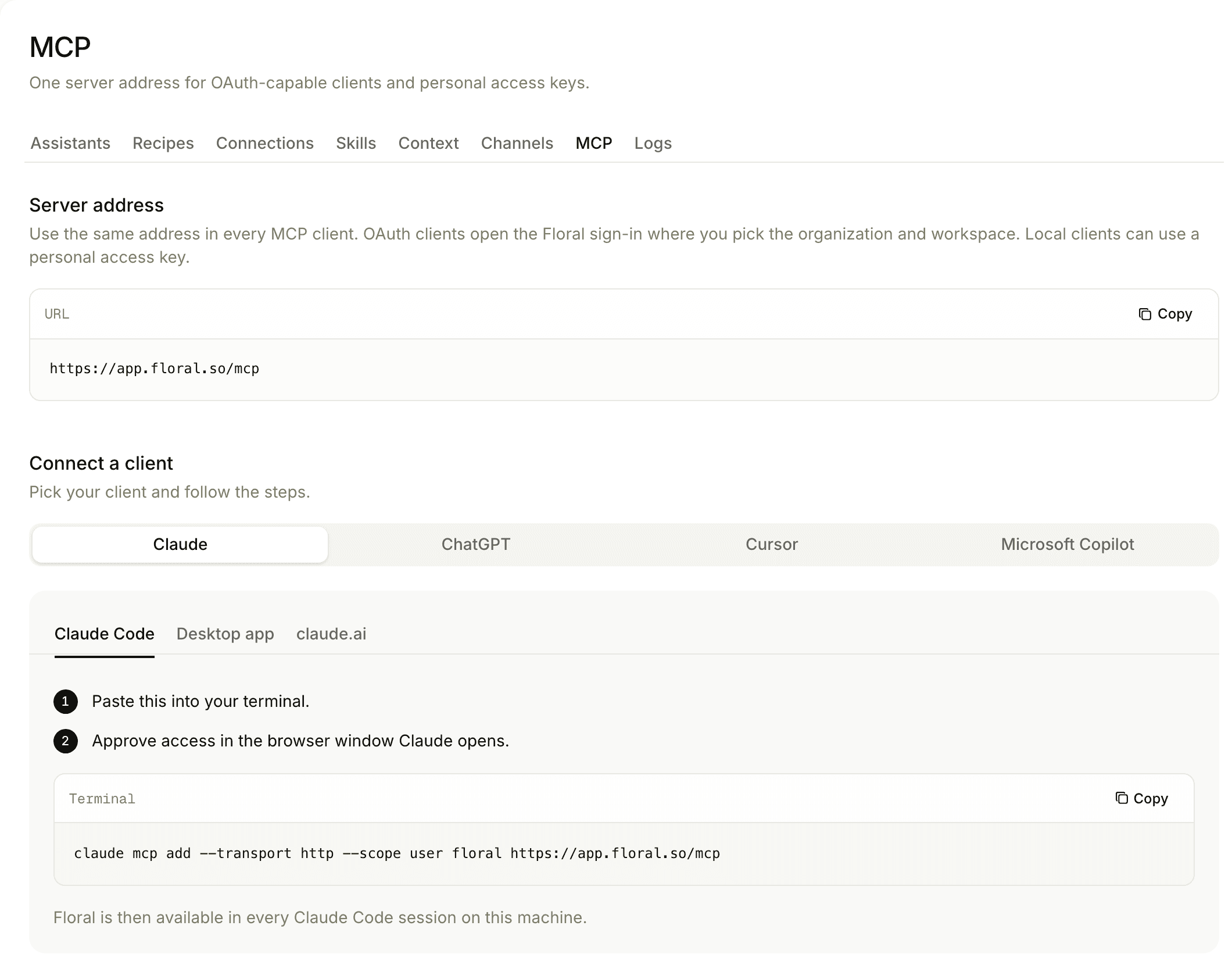
Floral runs its own MCP server. Connect Claude, ChatGPT or Codex - or any other MCP-capable client - and it can read your companies, people, deals, tasks, notes, meetings, briefings and summaries, and act on them: create the task, write the note, update the record.
It does all of this as you. The client inherits exactly your permissions, every call re-checks workspace membership, role and feature access, and connections made through OAuth are read-only. Your knowledge stays in your workspace; the assistant on top is your choice.
Never locked to one AI model
The model that is best today will not be the best next year. Floral is built so that changing it costs you nothing.
Models that can change
The models behind Floral run on an EU endpoint and are swapped as better ones appear. Your workspace, your context and your history stay exactly where they are.
Your client, your permissions
Whichever AI client you connect through MCP works with the access of the person who connected it - no service account with the keys to everything.
Standard protocols
REST with an OpenAPI spec and MCP for AI clients. No proprietary SDK to learn, no format only Floral can read.
Pairs well with
AI assistant
The same knowledge and tools, inside Floral - the MCP server exposes them to other clients.
Security and EU data
Where your data lives, which models see it, and how every action is checked and logged.
CRM integrations
Prefer a ready-made sync? Approved summaries flow into the CRM you already use.
Frequently asked
The REST API lives at app.floral.so/api/v1. You authenticate with a personal access token scoped to one workspace. Tokens carry one or more of four scopes: contacts read, contacts write, meetings read and meetings write.
Yes. The API is described in an OpenAPI spec, so you can generate a client, browse the endpoints or plug it into the tooling you already use. Lists use cursor pagination, responses carry ETags, and rate-limit headers tell you where you stand.
Floral runs its own MCP server with 58 tools. Claude, ChatGPT and Codex, and any other MCP-capable client can read companies, people, deals, tasks, notes, meetings, briefings and summaries - and act on them. The client works with the permissions of the person who connected it, never more.
It works as you, with your permissions, and every call re-checks workspace membership, role and feature access. Connections made through OAuth are read-only. Actions that change records go through the same approval rules as everything else in Floral.
No. The models behind Floral run on an EU endpoint and can be changed as better ones appear. Through MCP you can also bring the AI client you prefer. Your knowledge stays in your workspace; the AI layer on top stays replaceable.
Yes, at any time. Export as CSV, PDF or XML, or pull everything through the API. Your data is yours.
Connect Floral to the tools you already use
Create a token, connect your AI client, and ask it something only your company would know.