
How we help · Accounting
Someone to help with the books
Penny, your AI bookkeeping assistant, works in your Billy or e-conomic account. She finds, prepares and explains, and she asks before she changes anything.
Works with the tools you already use
 e-conomic
 Billy
Billy Stripe
 PayPal
 Slack
Slack Microsoft Teams
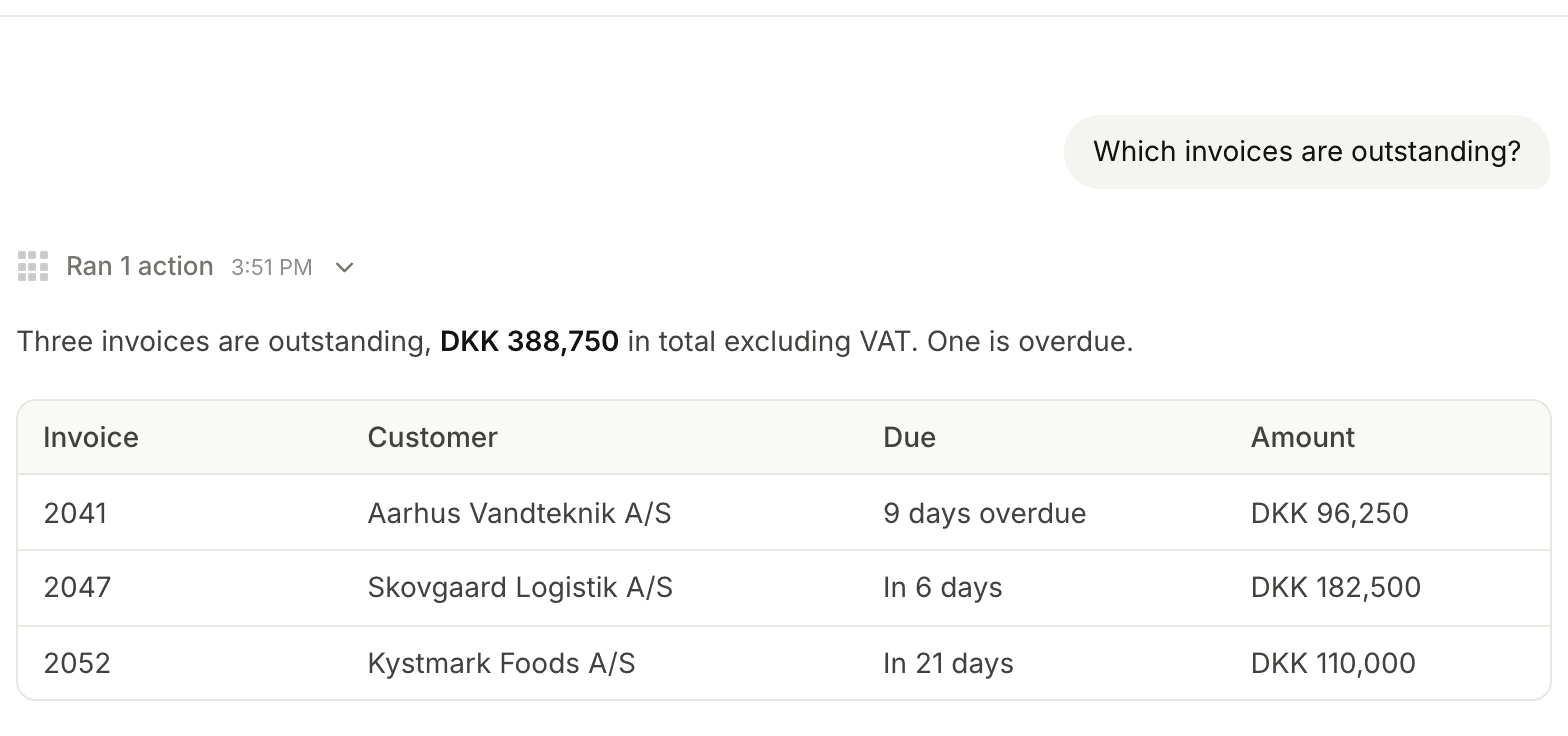
Outstanding invoices in one question
Ask who owes you money, what a supplier invoice covers or how the quarter looks. Penny reads invoices, supplier invoices, the ledger and profit and loss.
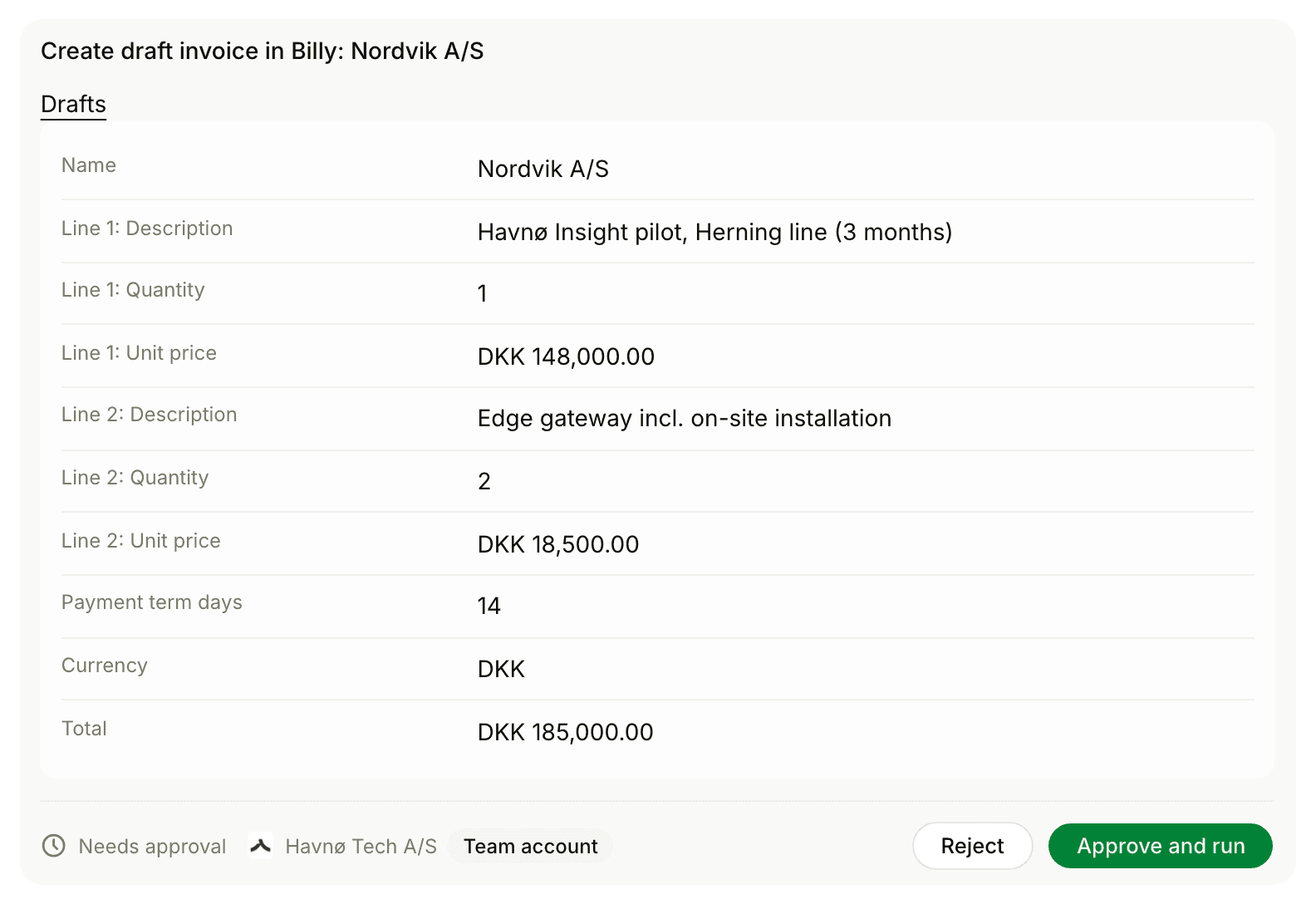
New invoices, ready for approval
Penny creates draft invoices, contacts and products. You review each one before it is approved.
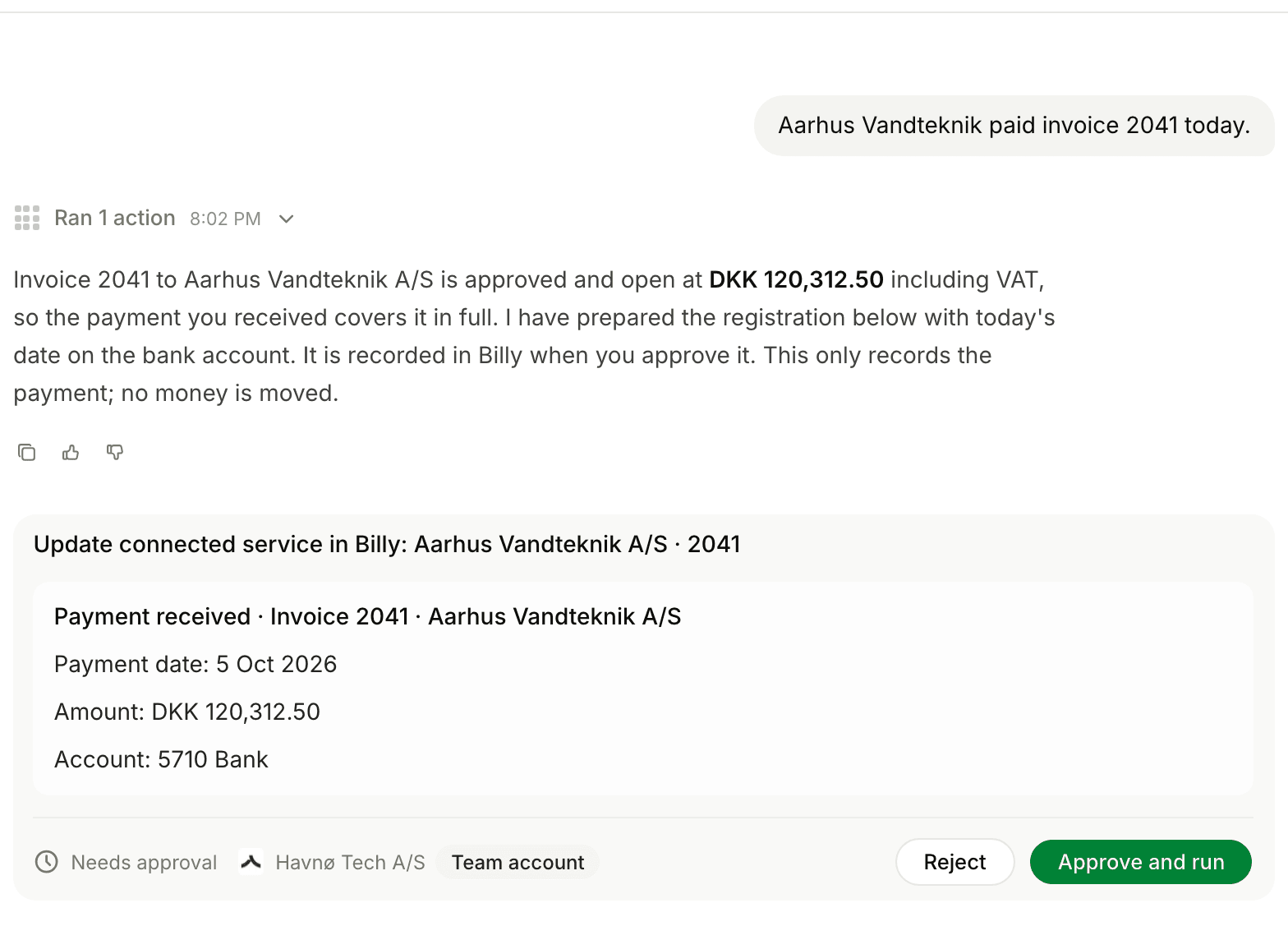
Payments and entries, on your word
Tell Penny a payment has arrived and she proposes registering it. Journal entries work the same way.
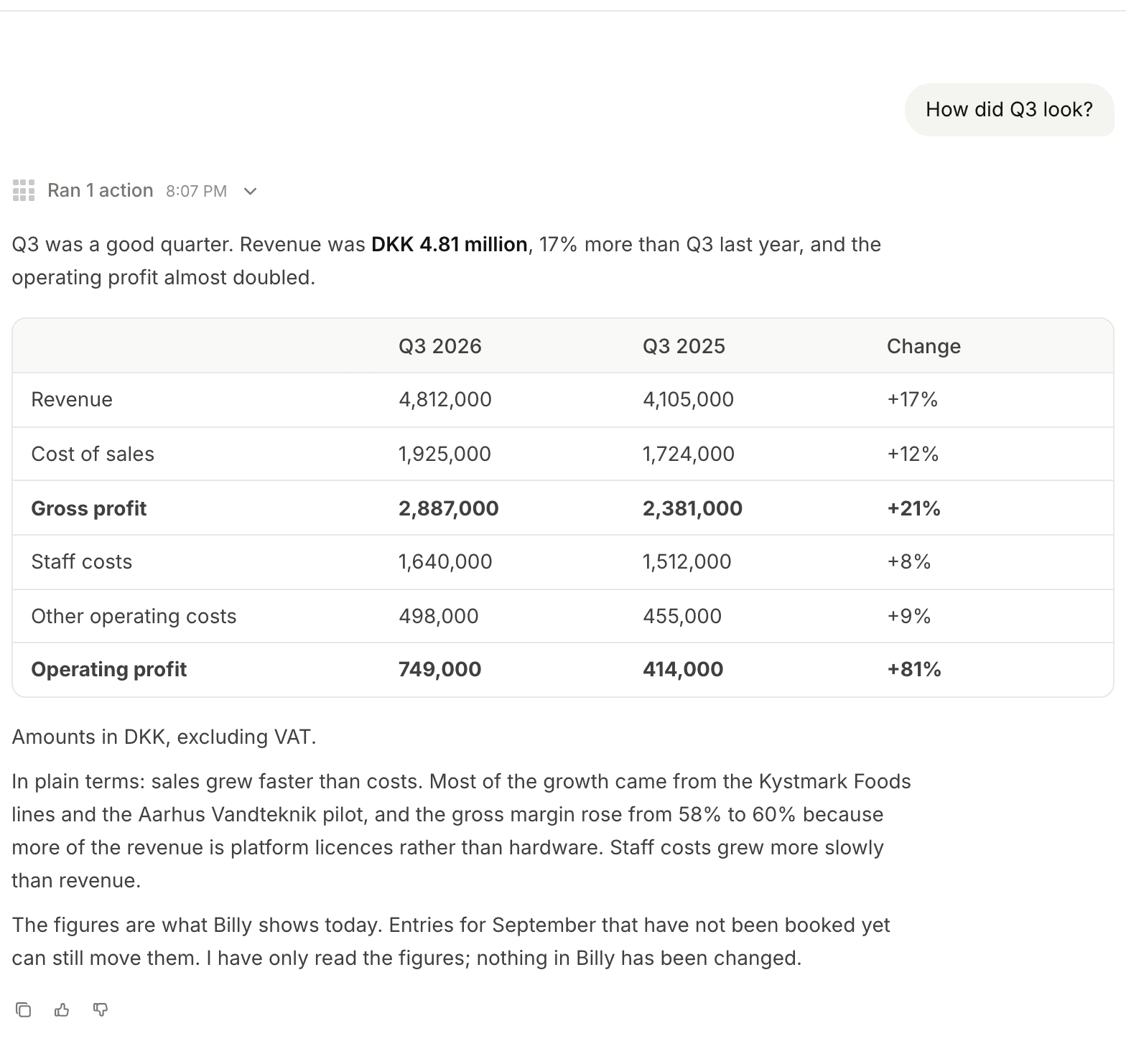
Your numbers in plain words
Ask how the quarter went. Penny reads the figures in Billy or e-conomic and explains them. She changes nothing.
Your own automations
Jobs you can hand to Penny
Penny works when you ask her, in plain language. She does not run on a schedule.
When you ask on Monday
- Floral prepares
- The outstanding invoices with days overdue.
- Your part
- Decide who gets a reminder.
When a job is done
- Floral prepares
- A draft invoice in Billy or e-conomic from what you tell her.
- Your part
- Review and approve the draft.
At the end of the month
- Floral prepares
- The month’s result explained in plain words.
- Your part
- Ask about anything that looks off.
Good to know
Where Penny stops
Penny works with what is in your accounting system. Every change is yours to approve.
Approval for every change
Every change waits for approval, and an admin chooses which kinds of change are allowed.
No bank connection
Penny cannot see your bank and never moves money. Payments are recorded from what you tell her.
Billy and e-conomic
Those are the two supported systems. In Billy she can also send an invoice or a reminder once you approve.
Care with e-conomic approvals
Approving an invoice in e-conomic books it and can deliver it in one step that cannot be undone.
Two ways to start
Start with the invoices that are waiting
Try it yourself
Sign up, connect your calendar and start with your next customer meeting.
Let's meet
Bring a job your team needs help with. We show you how Floral works with the information and tools it needs.