
Decide what Floral writes for your team
A consultancy and a sales team do not need the same briefing.
Workspace administrators choose which sections a briefing and a summary contain, in which order, and how much detail. The settings apply to everything Floral writes from then on.
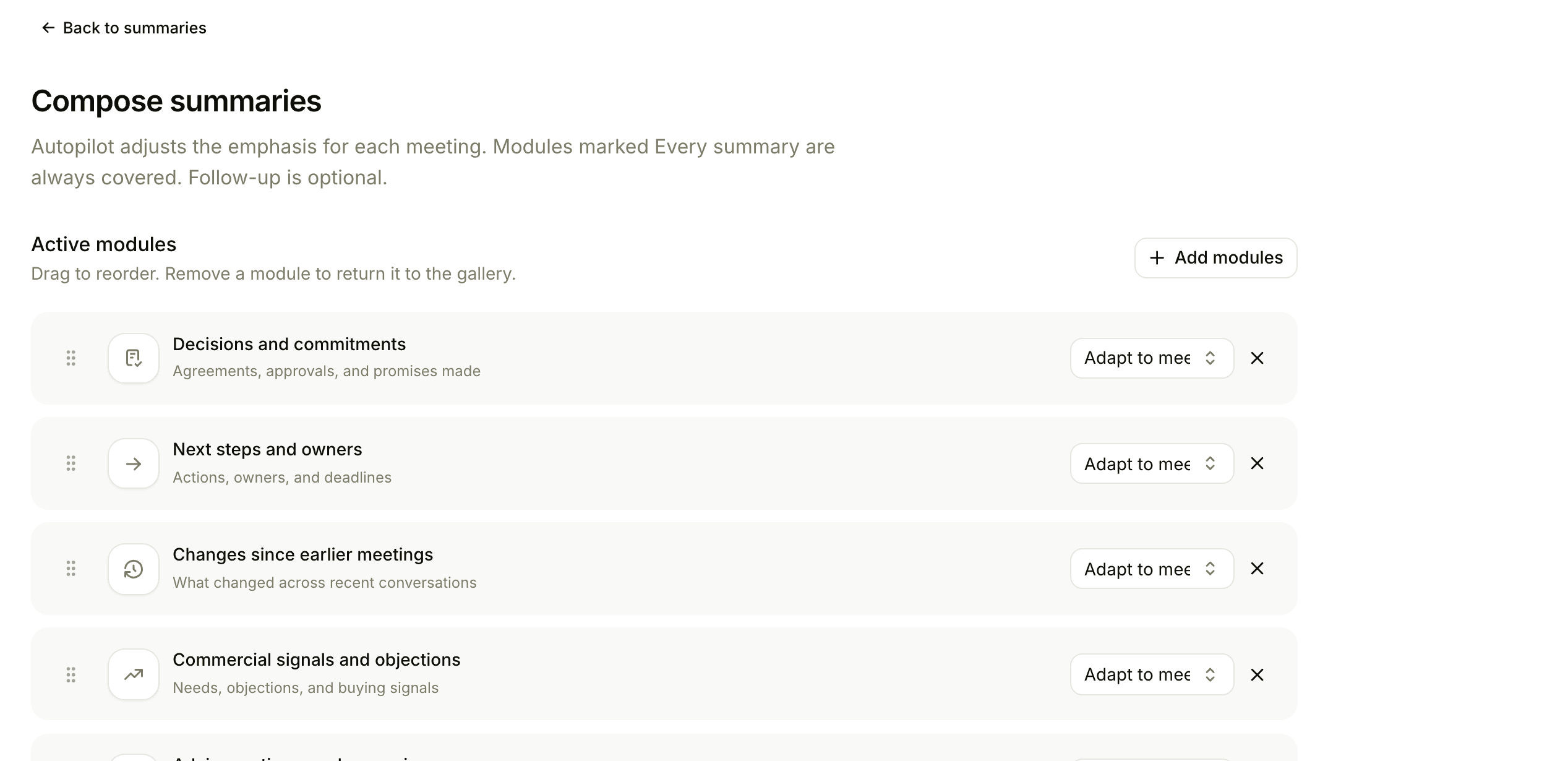
Your structure, not ours
Sections can be automatic, always included or left out.
Sections and order
Company background, finances, relationship history, open Work, attendees and meeting questions, arranged the way your team reads.
Your own sections
Up to five custom briefing sections, each with a title and an instruction for what it should cover.
Summary detail
Detail that follows the length of the meeting, or a fixed level when you want the same length every time.
Autopilot
Floral chooses the relevant sections from your working style and the meeting. You can override it.
Automatic briefings
Switch it on and Floral prepares briefings every morning for the next 24 hours of meetings in a connected calendar.
Follow-up draft
Describe the follow-up your team writes, and an approved summary produces a draft of it. It is never sent automatically.
Frequently asked
No. They apply to what Floral writes from now on.
Every day at 05:00 Copenhagen time, for meetings in the next 24 hours where the company is known. They are off until you switch them on.
Yes, as a PDF. A few briefing sections, such as your own, are shown on the web only.
Make the briefing fit your meetings
Show us a briefing you wish you had. We set it up with you.