
Teach Floral how your team sells
Your knowledge, your voice: Floral writes the way your company talks, whichever AI model is underneath.
Workspace AI context is a short instruction block that shapes every briefing and summary Floral writes for your team. Tell it your vocabulary, your qualifying questions, your no-go signals - and watch every AI output get sharper.
Workspace context + personal context
Workspace context for the team
One block applies to every teammate. Use it for things every rep should treat the same way - your ICP, your qualifying questions, the language you use for your product, the competitors to call out by name.
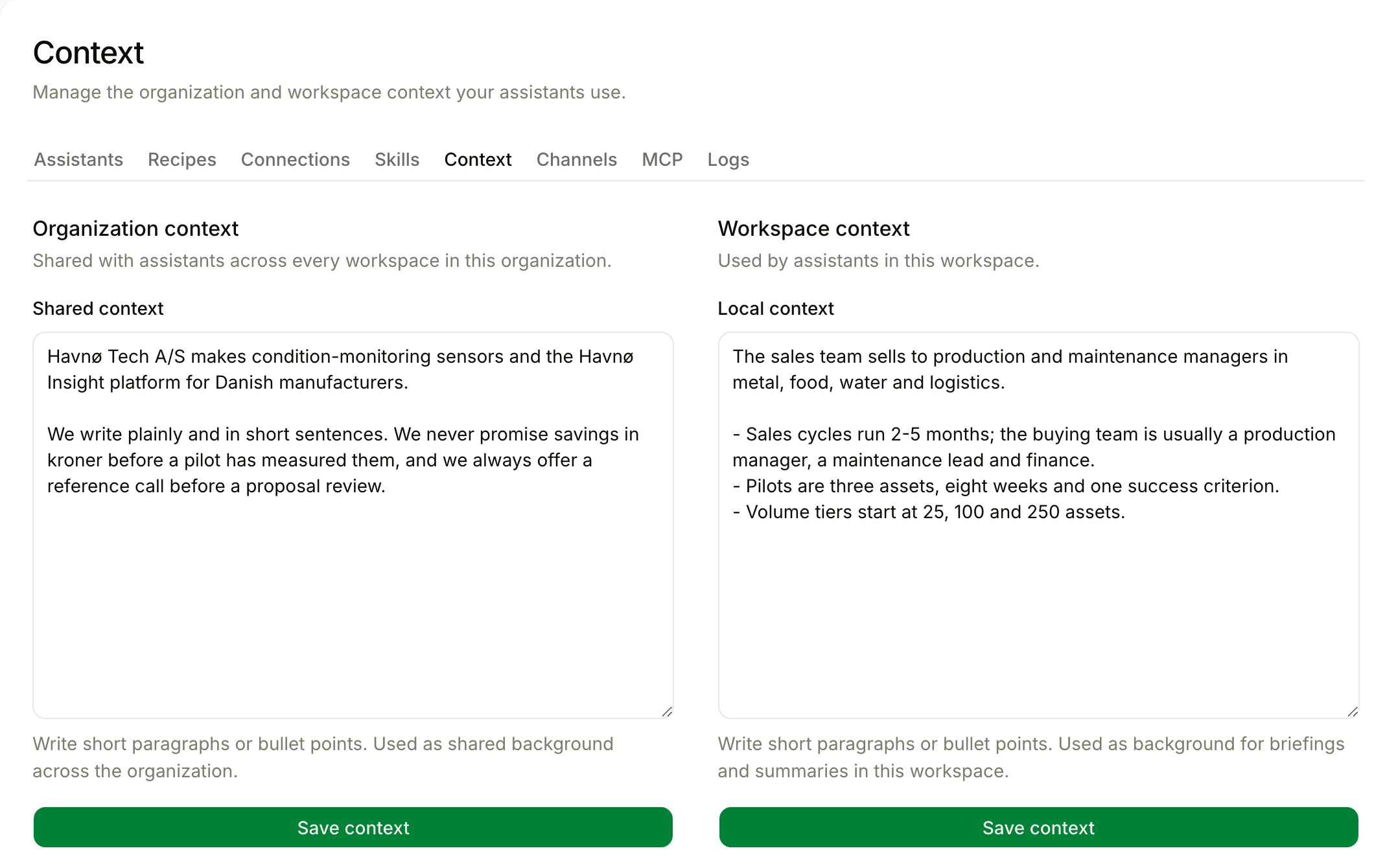
Personal context for individuals
Each teammate can layer their own context - "I’m the SDR doing first calls, focus on disqualifiers" or "I run executive briefings, keep it boardroom-formal". The personal layer wraps around the workspace layer.
The output, end to end
Vocabulary
Use your product name correctly. Translate generic AI phrasing into your industry’s terminology.
Tone
Formal vs casual. Short vs detailed. Workshop-style notes vs executive briefings.
Qualifying questions
Tell Floral what BANT-style data to surface in briefings and watch for in summaries.
Personal context
Per-user instructions layered on top. New hires get explainers; veterans get short, dense notes.
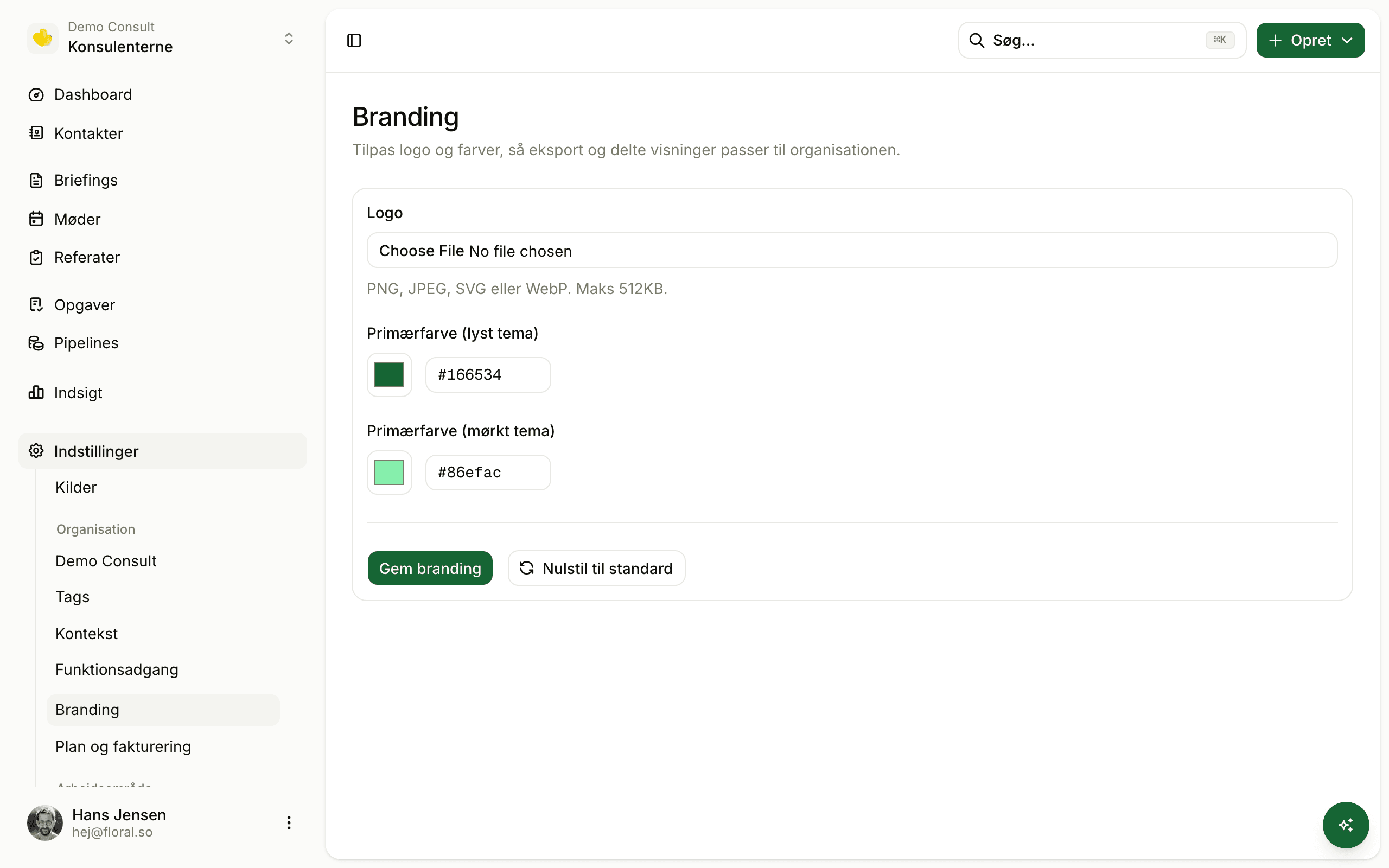
Org branding
Logo, primary colour, contact info - applied to PDF exports and customer-facing lead forms.
No prompt-engineering required
Write in plain Danish or English. Floral handles the wrapping, weighting, and token budgeting under the hood.
Pairs well with
Frequently asked
A short text block that gets prepended to every AI prompt - briefings, summaries, you name it. Use it to teach Floral your company’s vocabulary, target industries, qualifying questions, and what to ignore.
Workspace context applies to everyone in the workspace; personal context applies only to your own briefings and summaries. Use personal for things like "I am a junior rep, explain industry jargon" - workspace for "we sell to mid-market manufacturing".
No - it applies to new generations. If you change the context and want a briefing or summary to reflect it, hit "Regenerate" on the document.
Org-level branding lets you set a logo, primary colour, and contact information. Logo and colour appear on PDF exports and customer-facing surfaces (lead forms with Work, Floral’s CRM).
Yes - soft limit of ~2,000 characters per scope. The goal is a focused instruction, not a wiki. If you have a wiki worth of context, the workspace AI context should be the index, not the document.
Insights
Read more
10 min read
Sales knowledge base best practices: the four components of one your team will actually use
Most sales knowledge bases die within a year. Here are the four components that make a sales knowledge base self-sustaining, and the honest criteria for evaluating tools.
Make Floral sound like your team
Sign up, write your workspace context in five minutes, see every briefing get sharper.