
Mass-update without leaving the list
Every list view in Work, Floral’s CRM supports multi-select. The same floating action bar appears on tasks, deals (kanban and table), and contacts. Reassign owners, retag, update stages, archive - Replace or Add, your call. No bulk-CSV-export-then-reimport dance.
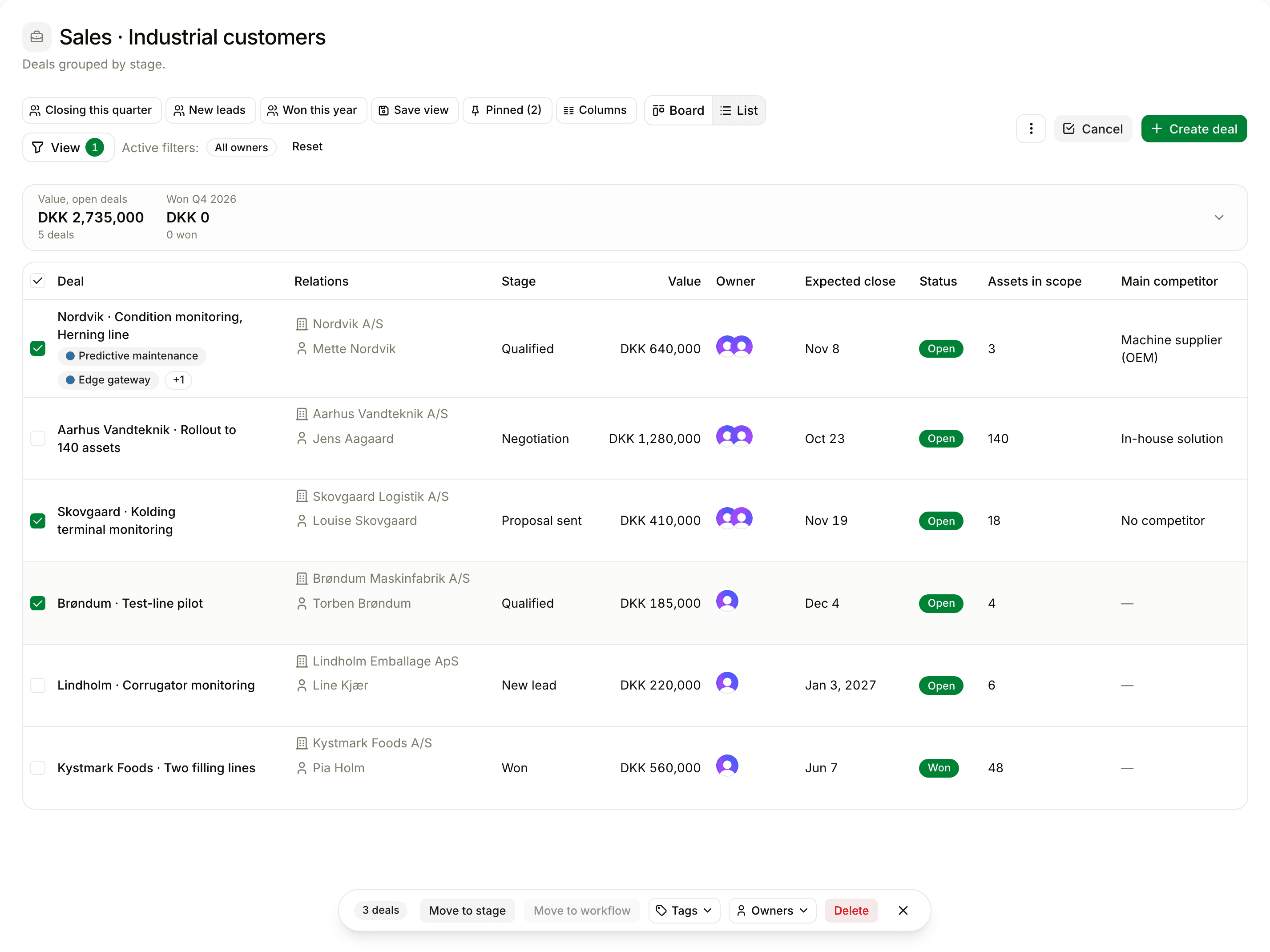
Most of what you would do one by one
Change owner
Reassign 30 deals to a new AE in one move. Add a co-owner without removing the existing one (Add mode).
Tag / untag
Apply a campaign tag to a filtered list. Replace existing tags or add on top.
Change category
Promote a tag to a category? Bulk-recategorise everything that had the old tag.
Move stage
End-of-quarter cleanup: move every deal still in "Negotiation" past its expected close to "Lost".
Switch pipeline
Move a batch of deals between pipelines. Stages remap to the new pipeline’s schema.
Mark done
Mark 50 follow-up tasks done in one click. Each task gets a TASK_COMPLETED activity entry.
Archive
Bulk-archive contacts you no longer talk to. Restorable; preserves history.
Delete (with confirmation)
Bulk-delete always requires a confirmation dialog. Soft-delete means deletes are reversible within 30 days.
A few small UX choices that add up
Select after filtering
Filter the list, then multi-select. The bulk action applies to your filtered set - not everything.
Replace or Add toggle
Explicit choice for multi-value fields. No more "did this replace my tags or add to them?" debugging.
Confirmation before destruction
Destructive bulk actions - delete, archive, hard-stage-change - always confirm before running.
Frequently asked
Tasks, deals (both kanban and table view), and contacts (companies + people) today. The same floating action bar appears on each, so once you have learned one list, you have learned them all.
When you bulk-edit a multi-value field like tags or owners, Floral asks: do you want to *replace* the existing values with the new selection, or *add* the new selection on top? Both are common; making the choice explicit prevents accidents.
Yes, but with a confirmation dialog every time - destructive actions never run silently from a multi-select. Soft-delete with restore applies, so even bulk-delete is reversible.
No hard limit, but bulk operations on >500 records run async and show progress. For dataset-scale operations, talk to us - we can run them server-side.
Yes. Custom fields appear in the bulk-edit picker alongside built-in fields. Validation runs per-row; rows that fail validation are reported.
Stop maintaining your CRM record by record
Run your end-of-quarter cleanup in 10 minutes, not 2 hours.