
Bring your existing contact list in
Export from HubSpot, Pipedrive, or Salesforce. Drop the CSV into Floral. The importer auto-detects columns, dedupes on email and CVR, seeds Danish company data from Proff.dk, and dumps anything unrecognised into a metadata bag you can clean up later.
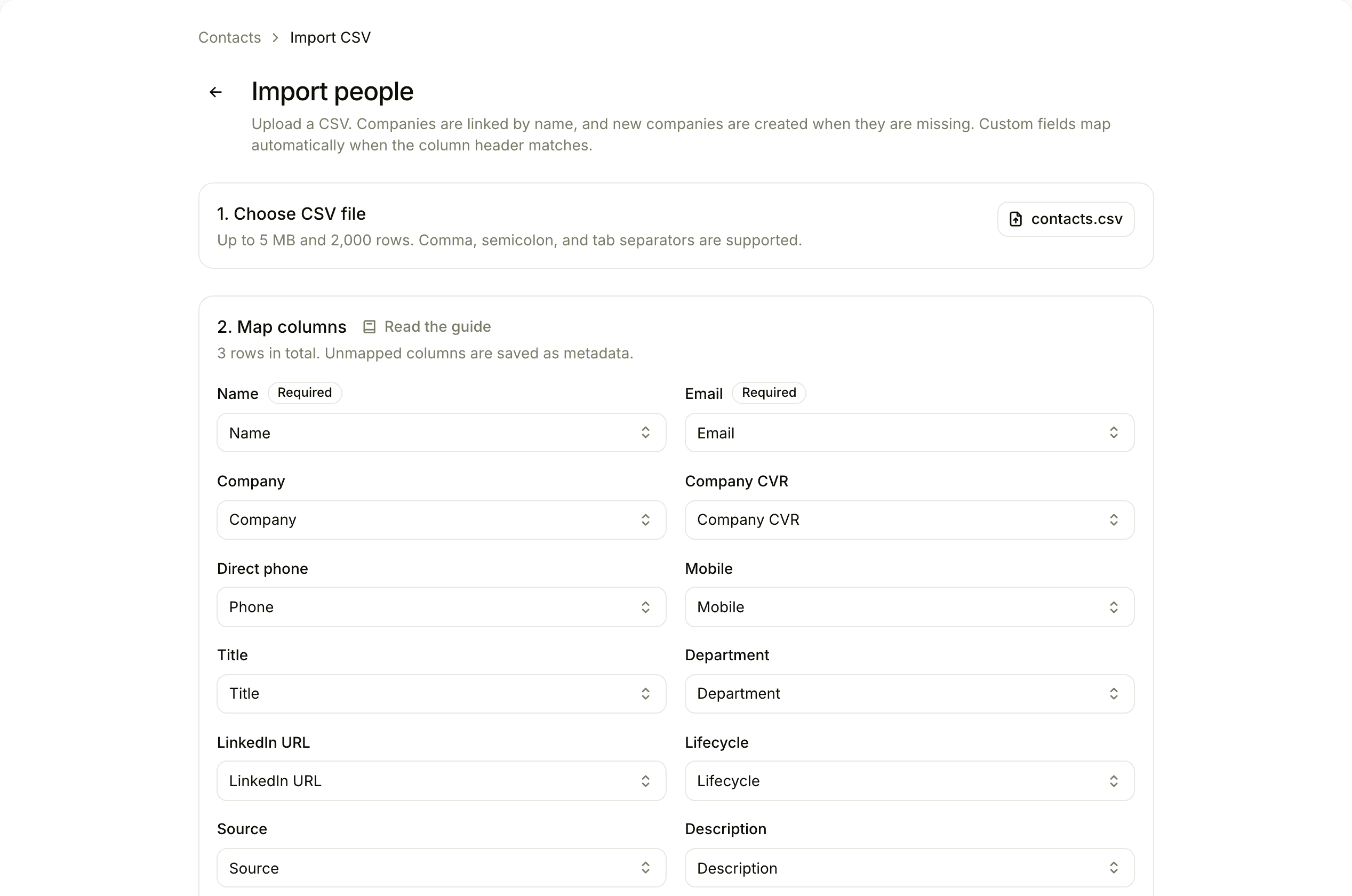
Three steps from CSV to clean data
Upload
Drag in a .csv. Floral auto-detects the delimiter - comma, semicolon, or tab.
Map columns
Auto-mapped where possible (30+ aliases per field). Manual mapping for the rest, with field-type hints.
Preview & import
See what will be inserted, updated, and skipped. Confirm. Floral runs the import and reports per-row results.
What makes it actually useful
Auto-detect delimiter
Comma, semicolon, tab. No fiddling with export settings before the upload.
30+ aliases per field
"Company Name", "Account", "Organization", "Konto", "Virksomhed" - all map to the right Floral field automatically.
CVR seeding
If a row has a CVR, Floral pulls Proff.dk data alongside the import - industry, employee count, address.
Email + CVR dedupe
Duplicate detection on import. Repeat rows update existing records and log an activity entry.
Metadata bag
Unmapped columns become metadata key-value pairs. Visible on detail pages; promotable to custom fields later.
Per-row report
Inserted, skipped, errored - with row number and column name for the first 50 errors. Fix and re-import safely.
Frequently asked
HubSpot, Pipedrive, and Salesforce exports work out of the box. The importer auto-detects most common column names and falls back to a manual mapping step where you can rename anything that did not match.
No. Deduplication runs on CVR for companies and email for people. Repeat rows update existing records and add an activity entry. Floral never silently creates duplicates.
Unmapped columns fall into the entity’s metadata bag - a Stripe-style key-value store visible on the detail page. You can later promote a metadata key to a real custom field if it turns out to be load-bearing.
5 MB file size, 2,000 rows per import. For larger datasets, split into batches; we are happy to run a few imports together on a kickoff call.
Per-row results: inserted, skipped (duplicate), or errored. Floral reports the first 50 errors with the column and row that failed. Fix and re-import - the dedupe means re-imports are safe.
Bring your contacts. Keep your time.
Import your contacts in the same session you sign up.